PWR Industries · Octet

Octet TFTPThe TFTP server for Mac

Pick a folder, click Start, and your switches, routers and firewalls can pull firmware and push configs to your Mac on port 69. No Terminal, no config files, no fighting the Mac.

In review with Apple · Octet TFTP, $4.99 · Mac App Store

macOS 14+ Apple silicon UDP port 69 No data collected
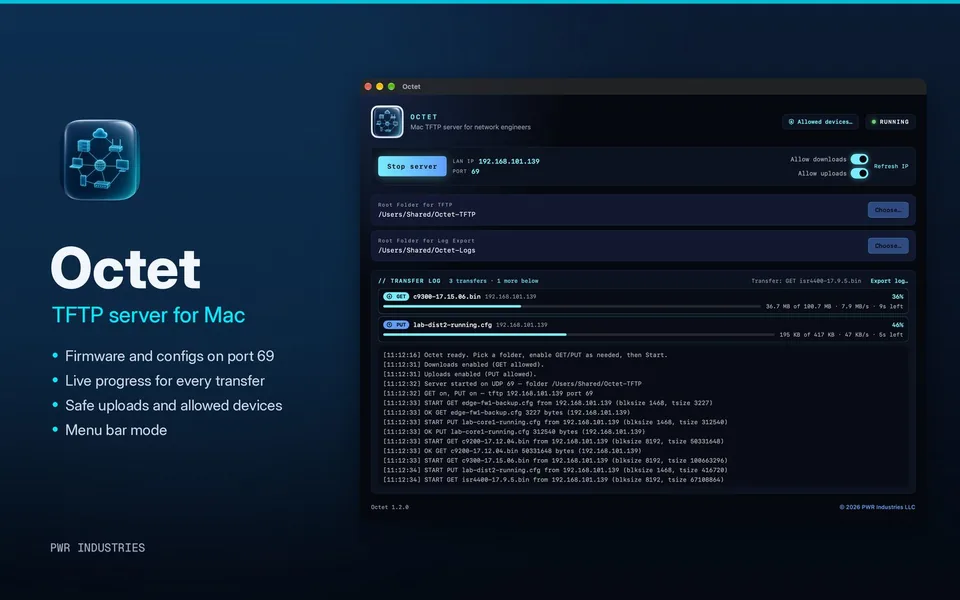
Octet TFTP window serving firmware and configs with live progress bars

// See it in 30 seconds

Octet TFTP 1.2
▶ Octet TFTP 1.2 demo
  • One click to start serving a folder on port 69.
  • About 3× faster with devices that negotiate bigger blocks.
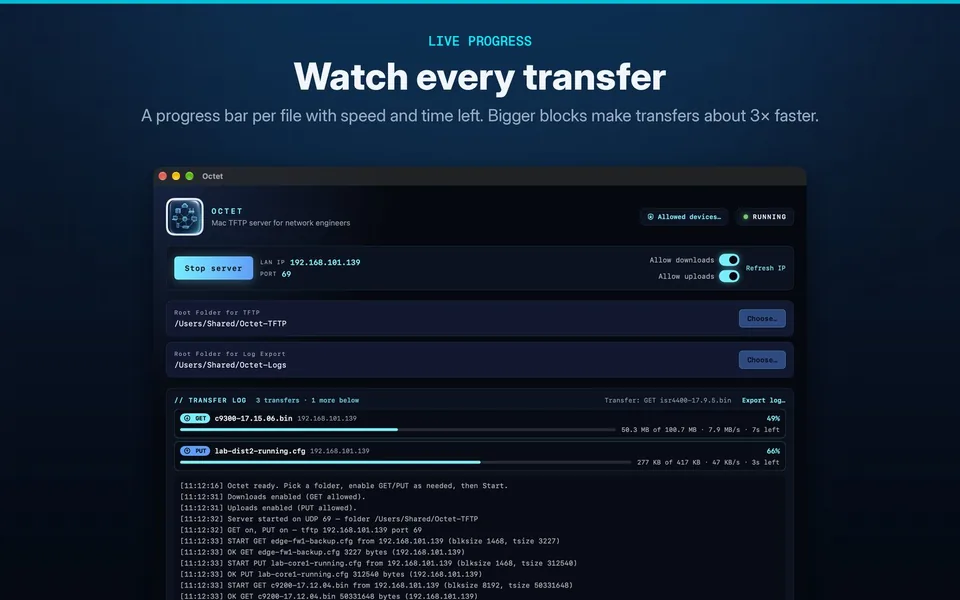
  • Live progress for every transfer, with speed and time left.
  • Safe uploads that never leave a half-written config.
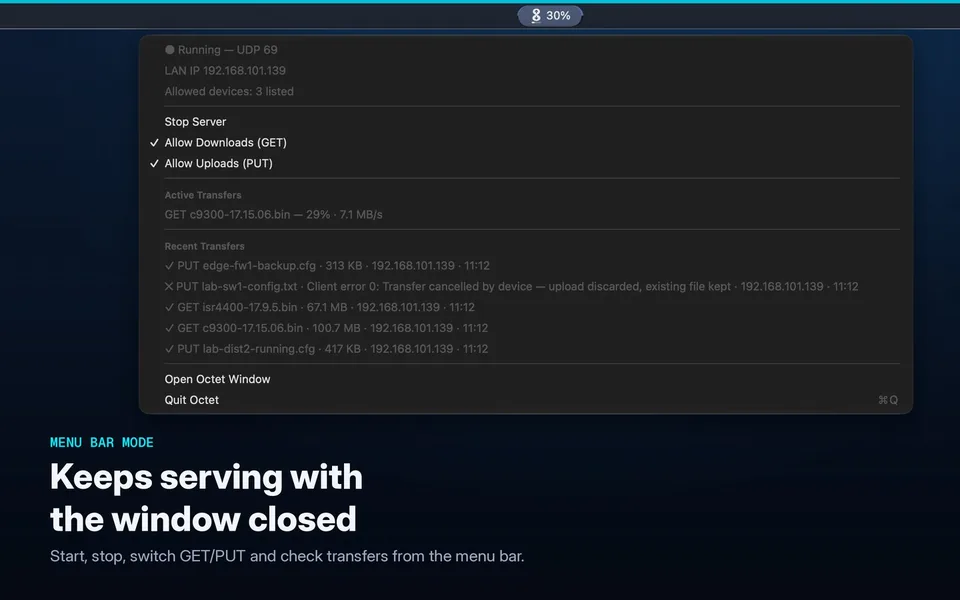
  • Menu bar mode keeps serving with the window closed.

// Octet Lite vs Octet TFTP

Choose your build

Octet Lite (version 1.0.2) is a free download from this site that covers the basics. Octet TFTP is the full version on the Mac App Store for $4.99, faster and built for real change windows.

Feature Octet LiteVersion 1.0.2Free download Octet TFTPVersion 1.2 · App Store$4.99
The essentials
TFTP server on UDP port 69✓✓
Separate Allow downloads (GET) and Allow uploads (PUT) switches✓✓
Pick the folder to serve✓✓
Shows your Mac’s LAN IP and port✓✓
Live transfer log with Export log… to a text file✓✓
Signed and notarized, macOS 14 or later✓✓
Only in Octet TFTP
About 3× faster transfersblksize, tsize and timeout option negotiation (RFC 2347, 2348, 2349)—✓
Live progress bar for every transferPercent, size, speed and time left—✓
Safe uploadsWritten to a temporary file and swapped in at the end, so a failed upload never damages an existing file—✓
Allowed devicesIP and CIDR allow list, with every refusal logged—✓
Menu bar modeStatus icon, start/stop and recent transfers with the window closed—✓
Opens port 69 with no admin password on current macOSHelper fallback✓
Installs and updates through the Mac App StoreUpdate check✓
Download Lite App Store

Both versions need a Mac with Apple silicon. Octet Lite checks this site for updates once a day; Octet TFTP makes no internet connections.
Octet Lite 1.0.2 · 4.1 MB · Signed & notarized · SHA-256: e32cbb940af69f851eb630145ef1173ef1c69aaae9db9aa3c23c4bd86ec74a9c

▶ Octet Lite demo
  • Octet Lite is the free download from this site.
  • Pick a folder, switch on downloads or uploads, and click Start.
  • Live transfer log shows every request.
  • Want more? Octet TFTP 1.2 adds faster transfers, progress bars, safe uploads, allowed devices and menu bar mode. $4.99 on the Mac App Store.

// Features

Octet TFTP 1.2
Live progress bars for three transfers
Speed & progress

Fast transfers you can watch

Octet negotiates bigger blocks with devices that support it, about 3× faster than classic 512-byte TFTP. Every transfer gets its own bar with percent, size, speed and time left. Older devices still work the classic way.
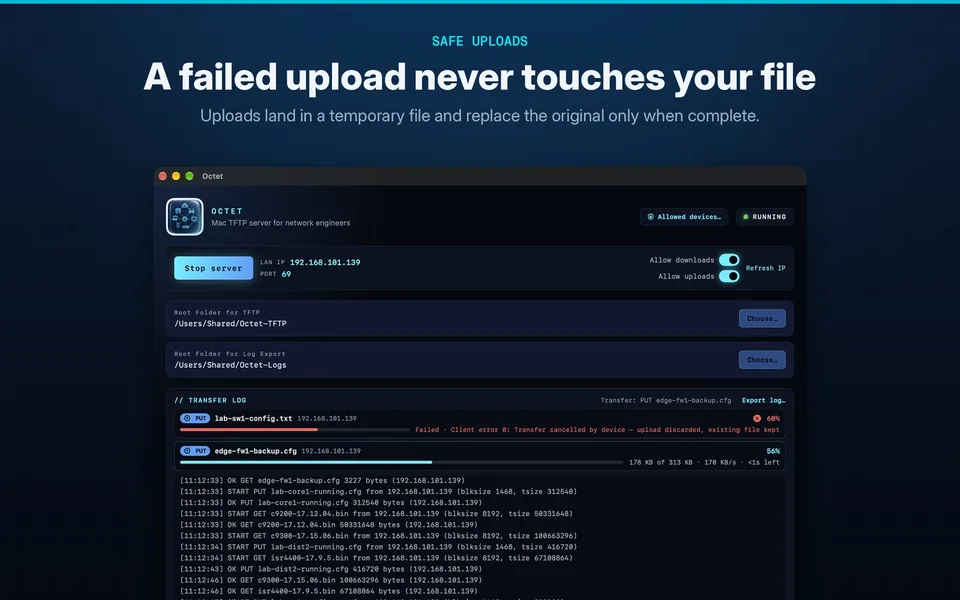
A failed upload marked red while the existing file is kept
Safe uploads

A failed upload never touches your file

Uploads land in a hidden temporary file and replace the original only when the last block arrives. If a device drops mid-transfer, your existing config stays exactly as it was and nothing half-written is left behind.

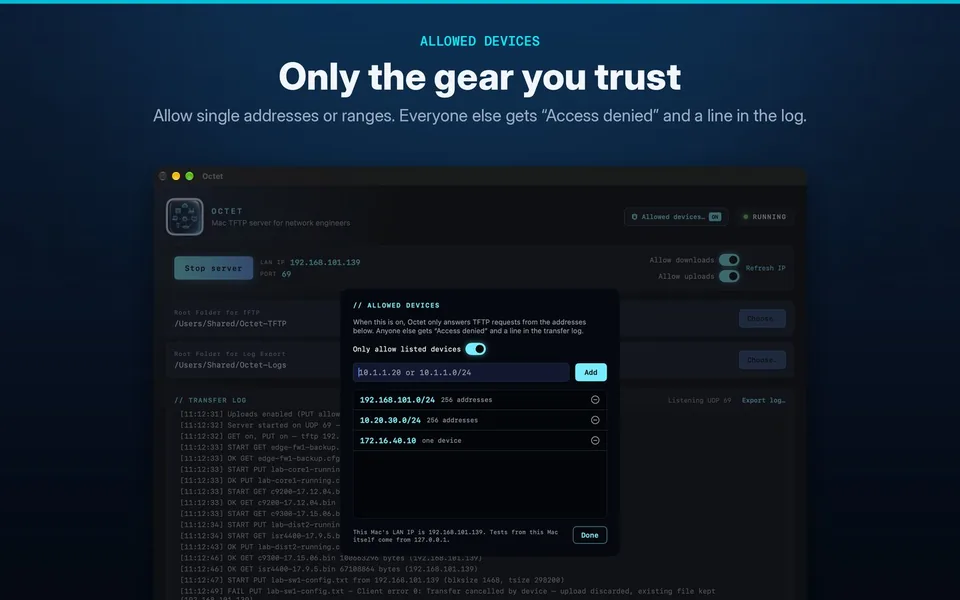
Allowed devices list with IP addresses and ranges
Allowed devices

Only the gear you expect

Limit the server to single addresses or ranges such as 10.1.1.0/24. Anything else gets “Access denied”, and every refusal is written to the log. The list is saved between launches.

Octet menu bar menu showing server status and recent transfers
Menu bar mode

Keeps serving with the window closed

The “8” icon shows at a glance whether the server is stopped, running or transferring. Start and stop, flip GET and PUT, see your IP and check recent transfers right from the menu bar.

// Built for network engineers

Octet comes from PWR Industries, founded by a network engineer with 28 years in networking, cybersecurity, SANs and virtual systems. It exists because moving an image or a config backup to a Mac shouldn’t mean hunting for a TFTP daemon in Terminal in the middle of a change window. Octet does one job and does it well: get files on and off your gear, safely.

// Quick setup

Under a minute

Pick a folder

Click Choose… and select the folder with your images and configs.

Allow GET / PUT

Turn on downloads, uploads, or both.

Start the server

Octet shows your Mac’s LAN IP and port 69.

Copy from the device

Point the device at your Mac’s IP and go.

! Cisco IOS-XE, Mac at 192.168.1.50 (lab addressing)
lab-sw1# copy tftp://192.168.1.50/c9300-17.15.06.bin flash:
lab-sw1# copy running-config tftp://192.168.1.50/lab-sw1-config.txt
! Management port or VRF? Pick the source interface first:
lab-sw1(config)# ip tftp source-interface GigabitEthernet0/0

// FAQ

Do I need an admin password for port 69?

Not with Octet TFTP. On current macOS, it opens UDP port 69 directly, with no helper, no Terminal and no password. Octet Lite opens port 69 directly where macOS allows it, and otherwise falls back to a small admin helper that may ask for your admin password.

The device can ping my Mac, but the copy times out

Something between them is blocking TFTP. Between subnets, allow UDP 69 to your Mac plus the high UDP ports the transfer uses, or use a firewall with a TFTP helper. Check the Mac firewall and the device’s route back. The easy fix is putting your Mac on the same VLAN. More in Support →

What’s the difference between Lite and Octet TFTP?

Octet Lite (1.0.2) is the free, basic server: port 69, GET/PUT switches, folder picker and log. Octet TFTP adds faster transfers, progress bars, safe uploads, allowed devices and menu bar mode, and it installs and updates through the Mac App Store.

Does Octet collect any data?

No. There are no accounts, no analytics and no tracking. Files move only between your Mac and your own devices. Read the privacy policy →

Get Octet on your Mac

Octet TFTP, the TFTP server for Mac, is in review with Apple for the Mac App Store ($4.99). Want the basics today? Octet Lite is a free download.