
Octet Lite
Octet Lite 1.0.2 · 4.1 MB · Signed & notarized · SHA-256: e32cbb940af69f851eb630145ef1173ef1c69aaae9db9aa3c23c4bd86ec74a9c
Octet Lite is the free download from this site. Pick a folder, switch on downloads or uploads, and click Start. Live transfer log shows every request.
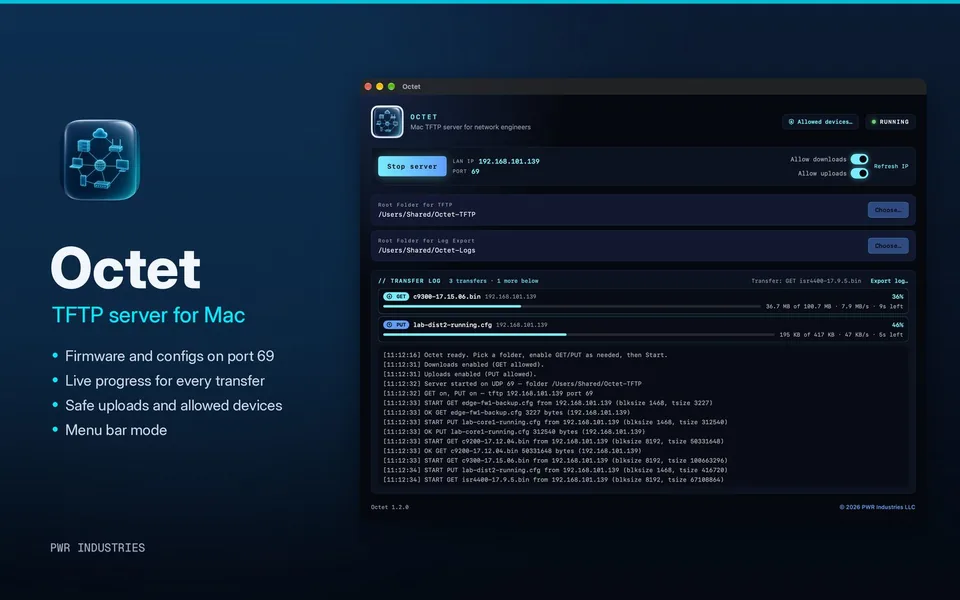
- TFTP server on UDP port 69
- Separate Allow downloads (GET) and Allow uploads (PUT) switches
- Pick the folder to serve
- Shows your Mac’s LAN IP and port
- Live transfer log with Export log… to a text file
- Signed and notarized, macOS 14 or later
Octet Lite is not on the Mac App Store. Want more? Octet TFTP 1.2 adds faster transfers, progress bars, safe uploads, allowed devices and menu bar mode. $4.99 on the Mac App Store, in review with Apple. Both versions need a Mac with Apple silicon.
- The Octet page: demo videos, features, screenshots, setup and FAQ
- Mac TFTP server guide
- Help & setup · Firewalls & routing
- Release notes
- Demo video
No accounts, no analytics and no tracking. Files move only between your Mac and your own devices. Octet Lite checks this site for updates once a day; that check sends no personal information. Read the privacy policy →
Do I need an admin password for port 69?
Octet Lite opens port 69 directly where macOS allows it, and otherwise falls back to a small admin helper that may ask for your admin password.
The device can ping my Mac, but the copy times out
Something between them is blocking TFTP. Between subnets, allow UDP 69 to your Mac plus the high UDP ports the transfer uses, or use a firewall with a TFTP helper. Check the Mac firewall and the device’s route back. The easy fix is putting your Mac on the same VLAN. More in Support.
What’s the difference between Lite and Octet TFTP?
Octet Lite (1.0.2) is the free, basic server: port 69, GET/PUT switches, folder picker and log. Octet TFTP adds faster transfers, progress bars, safe uploads, allowed devices and menu bar mode, and it installs and updates through the Mac App Store.
Does Octet collect any data?
No. There are no accounts, no analytics and no tracking. Files move only between your Mac and your own devices.